TABLE OF CONTENTS+
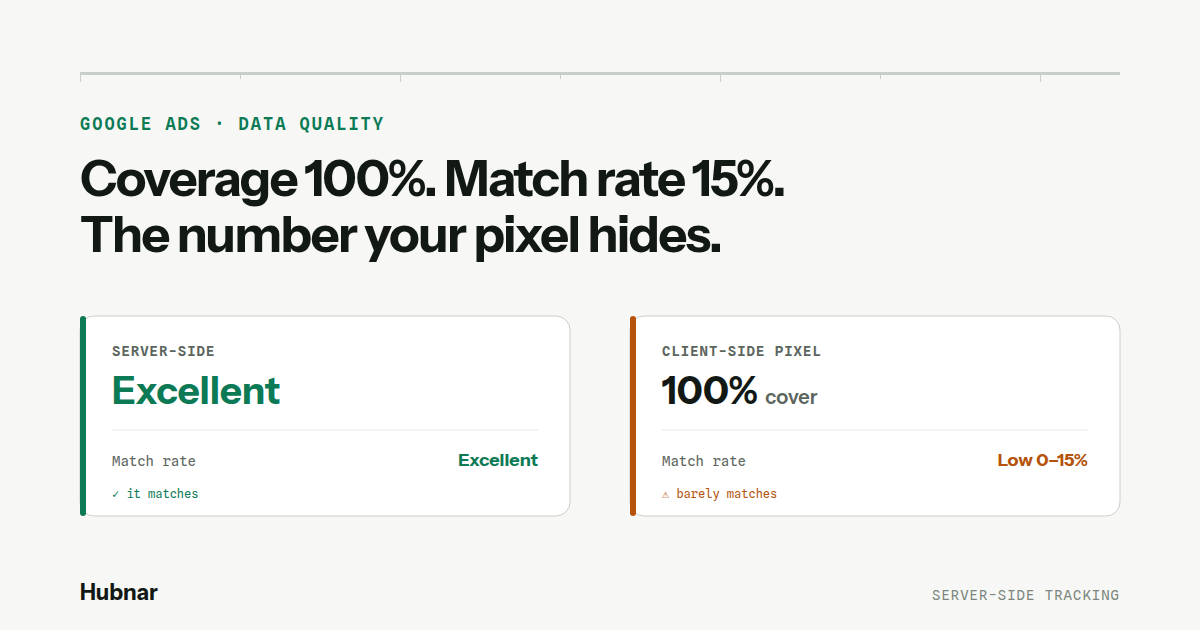
Open the Data quality panel in Google Ads and you will see a verdict on your conversion tracking: a rating, a coverage percentage, and — the one that actually matters — a match rate. Most store owners glance at "coverage: 100%", see green, and move on.
That is the mistake. Coverage and match rate measure two completely different things, and the gap between them is exactly where client-side tracking quietly fails.
Two numbers that are not the same number
These sit side by side in the panel, and they are easy to confuse:
- Coverage — the share of your conversion events that carried some user-provided data at all. It answers: did you send data?
- Match rate — the share of that data Google could actually match to a real signed-in user. It answers: was the data good enough to use?
Coverage can read 100% while match rate sits at the bottom. When that happens, the panel is telling you something blunt: you are sending data on every conversion, but most of it is too incomplete or malformed for Google to do anything with. Full coverage, empty result.
What we actually measured
We ran this as a live experiment, side by side on the same store, over months. One conversion action fed by our server-side approach; another fed by a leading client-side tracking app. Same traffic, same customers, same Google accounts on the other side. Only the capture layer differed.
Here is what each panel reported.
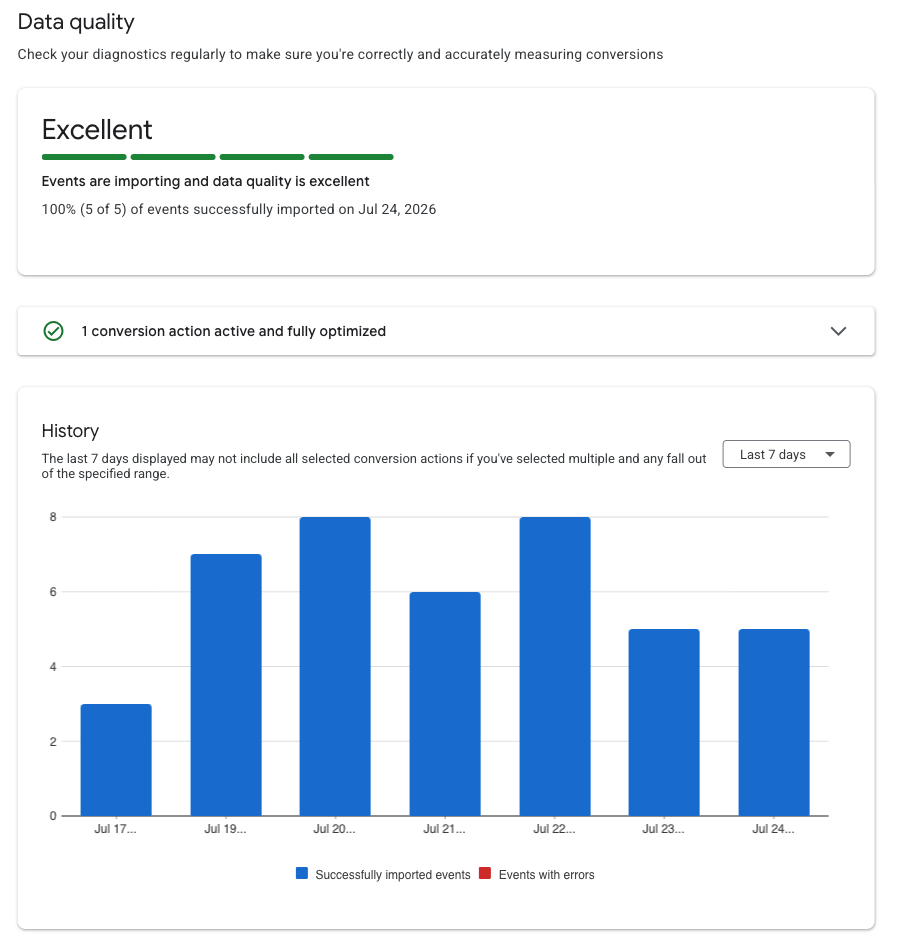
OUR SERVER-SIDE ACTION
A CLIENT-SIDE APP, SAME STORE
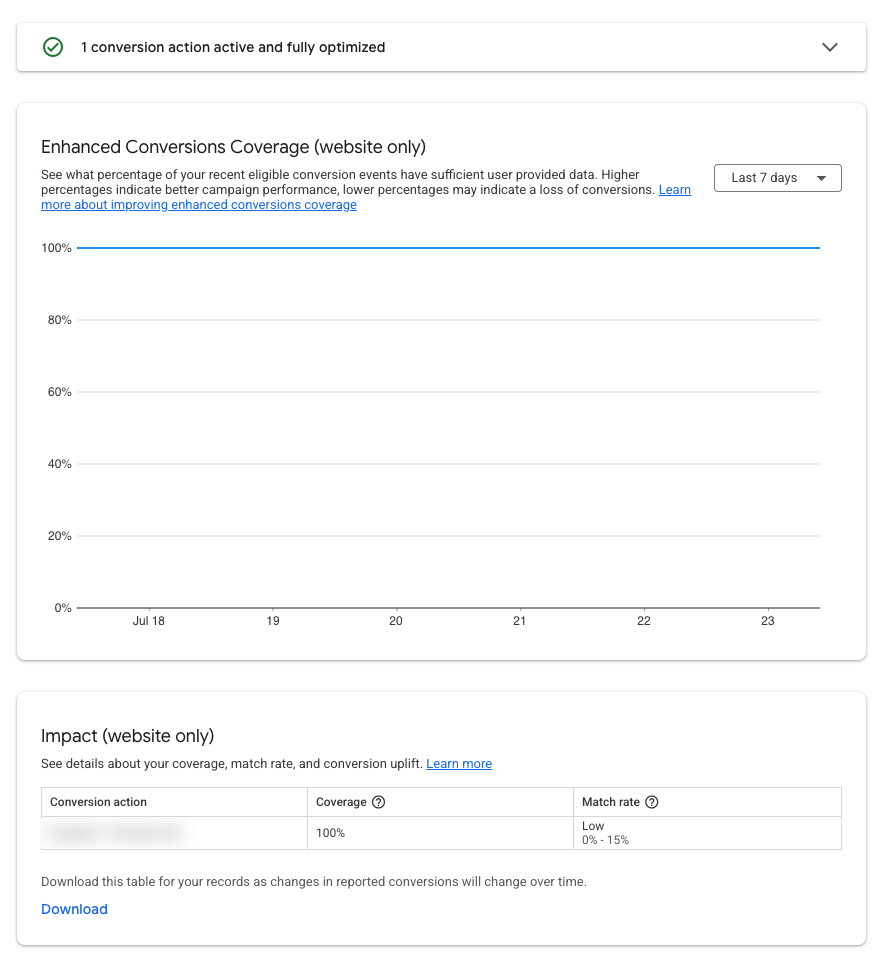
Read the client-side row carefully. Coverage 100% — it fired on every order. Match rate Low (0–15%) — of everything it sent, Google could match almost none of it back to a real user. The tool looks fully deployed. The data underneath is mostly unusable.
Our server-side action, on the identical customer base, came back Excellent — events importing cleanly, data quality rated at the top. Same shoppers. Same Google. A different result, because the data arrived complete instead of half-collected.
Why the capture layer decides the outcome
It is tempting to blame a low match rate on your audience — "maybe our customers just don't use Google accounts." Google itself offers that explanation. But our experiment removes it: both actions saw the exact same customers. The audience was a constant. The only thing that changed was how the data was collected.
That is the whole point. A client-side tracker reads the sale from inside the shopper's browser — a place crowded with ad blockers, tracking-prevention settings, privacy modes, consent refusals, and half-loaded pages. Every one of those clips, drops, or garbles a field before it is ever sent. High coverage, damaged data.
Server-side collection does not live in that environment. The sale is read where it is complete and authoritative, then delivered whole. Same customer, same email, same Google account waiting to be matched — but now the identifiers arrive intact, so they actually match.
Your match rate is not decided by who your customers are. It is decided by where you collect their data.
Why this costs you real money
Match rate is not a vanity metric. It is the fraction of your enhanced conversions that Google can actually use to attribute sales and train Smart Bidding. A low match rate means the bidding algorithm is optimizing on a thin, noisy slice of your true conversions — bidding blind on most of them.
So the store paying for a client-side app is paying to send data that mostly cannot be used, while its bidding runs on fumes. The panel says "100% coverage" and everyone feels covered. The match rate says otherwise.
The takeaway
Coverage tells you the pixel fired. Match rate tells you whether it mattered. If your Data quality panel shows full coverage but a low match rate, the fix is not more identifiers bolted onto a client-side tag — it is moving collection off the browser entirely.
Stop paying to send data Google throws away. Server-side collection is not a premium add-on to client-side tracking. It is the thing that makes the match rate real.
Notes
- Panels shown are from a live side-by-side test on a single store; the third-party tool is unnamed by choice — the point is the capture layer, not the vendor.
- Google Ads Help, Enhanced conversions for web diagnostics — definitions of coverage and match rate. support.google.com/google-ads/answer/11954870
- Google notes a low match rate can also reflect customers without Google accounts or mismatched identifiers; our same-audience test isolates the capture layer from that factor. support.google.com/google-ads/answer/9888656
FAQ
STRAIGHT ANSWERS
Q1What's the difference between coverage and match rate?+
Coverage is the share of conversions that carried any user-provided data — it tells you the tag fired. Match rate is the share of that data Google could actually match to a real signed-in user — it tells you the data was good enough to use. You can have 100% coverage and a very low match rate at the same time.
Q2My coverage is 100%. Isn't that good?+
Not on its own. 100% coverage only means you sent data on every conversion. If the match rate next to it is low, most of that data was too incomplete or malformed for Google to attribute. Full coverage with a low match rate is a warning, not a win.
Q3Isn't a low match rate just because my customers don't use Google accounts?+
That's one possible cause Google lists, but our test rules it out: both a client-side and a server-side conversion action saw the exact same customers on the same store. The client-side one matched poorly; the server-side one rated Excellent. Same audience, different result — so the audience wasn't the variable. The capture layer was.
Q4Why does server-side collection match better?+
Client-side trackers read the sale inside the shopper's browser, where ad blockers, tracking prevention, privacy modes, and half-loaded pages clip or corrupt the data before it's sent. Server-side collection reads the sale where it's complete and delivers it intact, so the identifiers Google needs actually arrive whole — and match.
Q5Does a low match rate actually cost me?+
Yes. Match rate is the fraction of your enhanced conversions Google can use to attribute sales and train Smart Bidding. A low match rate means bidding optimizes on a thin, noisy slice of your real conversions — so you pay for a tool that sends data Google can't use, while your bidding runs on a fraction of the signal.